Blog Detail
RFID Library Tags: How They Work, Benefits and Uses
 " alt="blogDetail">
Libraries manage thousands of books every day. Staff need to check books in and out, find books, update records, and manage shelves. Doing these tasks manually can take a lot of time. RFID library tags make this work easier. Libraries attach a small RFID tag to each book. An RFID reader can then identify the book without scanning it directly. This guide explains how RFID works in libraries, how RFID tags are made, and how libraries can use them.
What Is an RFID Tag?
An RFID tag is a small label that stores a unique ID. An RFID reader can detect this ID using radio waves.
A basic RFID tag contains:
1. RFID chip
2. Small antenna
3. Label or protective material
4. Unique identification number
For libraries, the tag usually goes inside the book. The tag connects the physical book with its digital record.
What Are RFID Library Tags?
Library RFID tags help staff identify and manage books. Each book gets its own unique tag ID. The library then connects this ID to its database.
The database can show details such as:
1. Book title
2. Author
3. Book number
4. Availability
5. Category
6. Borrowing status
This makes it easier for staff to find and manage books.
How Does an RFID Library System Work?
An RFID library system uses RFID tags, readers and library software.
The process is simple:
1. Staff attach an RFID tag to a book.
2. They add the tag ID to the book record.
3. An RFID reader detects the tag.
4. The reader sends the tag ID to the library system.
5. The system finds the matching book record.
Staff can then check the book’s status and update the record.
How Does RFID Tagging Work in a Library?
Libraries can follow these simple steps.
1. Choose the Right RFID Tag
The tag should match the size and type of the book. Libraries often use thin RFID library labels because they fit neatly inside books.
2. Attach the Tag
Staff place the tag inside the book. The tag should stay firmly attached and remain easy for RFID readers to detect.
3. Add the Tag to the Database
Staff connect the RFID tag ID with the correct book record. This creates a link between the physical book and its digital record.
4. Test the Tag
Staff test the book with an RFID reader.
They check whether:
1. The reader detects the tag
2. The correct book appears
3. The tag works consistently
4. Multiple books can be read when required
5. Start Using the System
After testing, the library can use RFID for daily tasks such as:
1. Book check-in
2. Book check-out
3. Inventory checks
4. Shelf management
5. Self-service
RFID Production Process
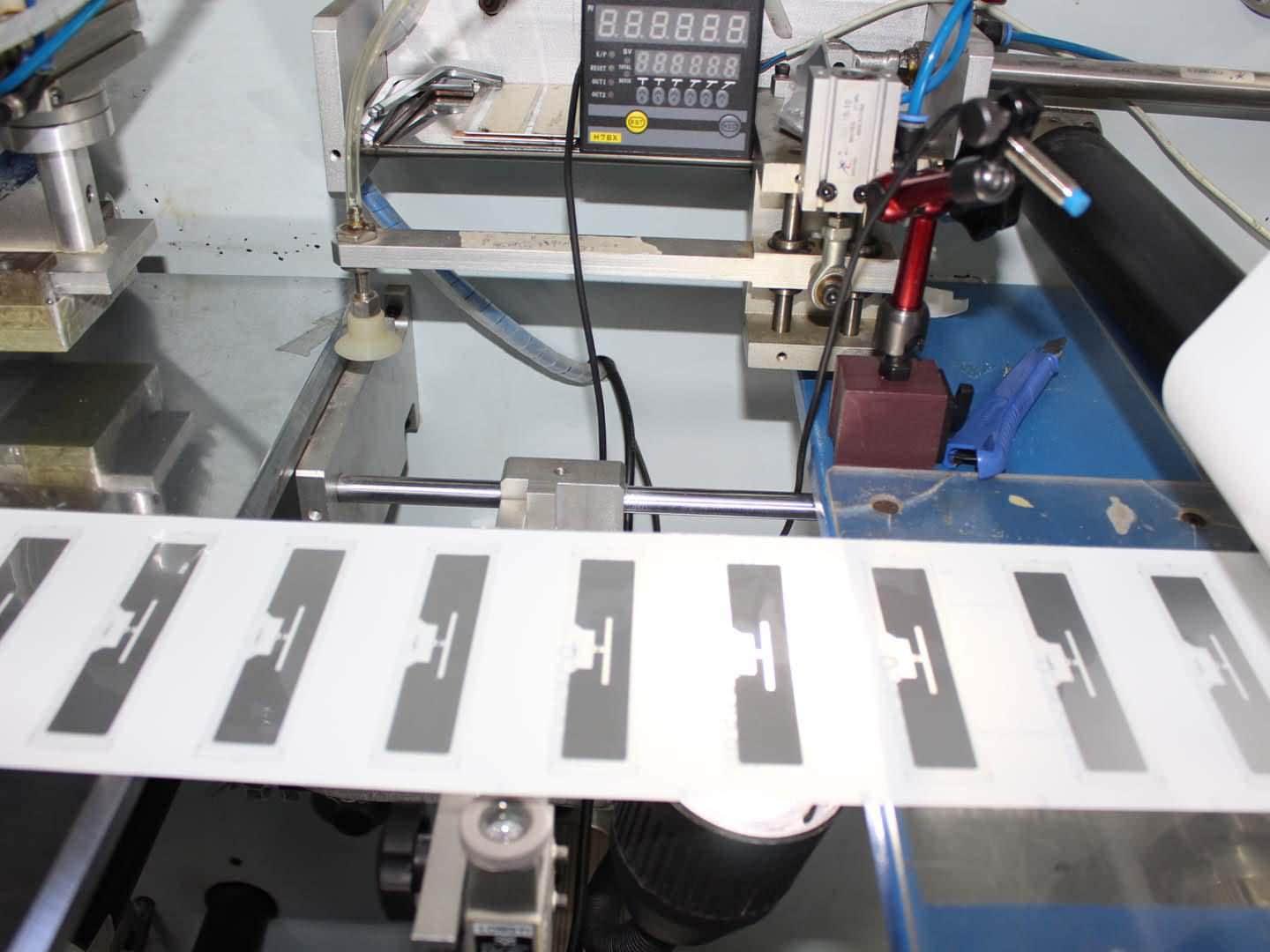
The RFID production process turns electronic parts into a finished RFID label or tag. A simple production process looks like this:
| Stage | What Happens |
| Chip preparation | The RFID chip is prepared |
| Antenna production | The antenna is created |
| Chip connection | The chip connects to the antenna |
| Label production | The RFID inlay goes into the label |
| Printing | Text or other information is added |
| Testing | The tag is checked for performance |
| Packaging | Finished tags are packed |
RFID Product Labels vs RFID Product Tags
RFID product labels and RFID product tags can look similar, but their formats can differ.
| Feature | RFID Product Labels | RFID Product Tags |
| Format | Thin label | Different shapes and materials |
| Attachment | Usually adhesive | Adhesive or other attachment methods |
| Common use | Books, products and packages | Products and assets |
| Printing | Can include printed details | Can include printed details |
| Size | Usually low-profile | Available in different sizes |
What Are RFID Blocking Products?
RFID blocking products are designed to reduce or stop RFID signals.
You may find them in:
1. Wallets
2. Card holders
3. Passport covers
4. Protective sleeves
They serve a different purpose from library RFID tags. A library tag needs to communicate with an RFID reader. RFID blocking material can interfere with that communication. For this reason, libraries should avoid placing RFID blocking material around tagged books when they need the tags to work.
Also Read: Complete Guide To RFID Readers, RFID Modules & Product Tracking Solutions
Real-Life Example of RFID in a Library
Consider a university library with 50,000 books.
Without RFID, staff may need to scan books one at a time during an inventory check. With RFID, staff can use an RFID reader to identify tagged books more quickly.
| Library Detail | Example |
| Collection size | 50,000 books |
| Tagging | One RFID tag per book |
| Identification | RFID reader |
| Record system | Library database |
| Main use | Inventory and circulation |
The actual time saved depends on the library, equipment, and workflow. However, RFID can reduce repetitive scanning work and help staff manage large collections more efficiently.
Benefits of RFID Library Solutions
An RFID library solution can make many library tasks easier.
Faster Book Check-In and Check-Out: Staff can identify books without scanning each barcode individually. This can help during busy periods.
Easier Inventory Checks: Staff can use RFID readers to identify tagged books. This makes it easier to compare physical books with library records.
Better Book Tracking: Each book has a unique RFID ID. Staff can use this ID to find the related book record.
Support for Self-Service: Libraries can use RFID with self-service stations. Visitors can check books in or out with less staff assistance.
Easier Shelf Management: RFID can help staff find books that are misplaced or need attention.
What Should Libraries Consider When Choosing RFID Tags?
Libraries should choose tags based on their books and equipment.
Consider these points:
Tag size: It should fit inside the book.
Tag quality: It should remain attached during regular use.
Reader compatibility: The tag should work with the chosen RFID reader.
Reading performance: Test the tag with real books.
Software compatibility: Make sure the RFID system works with the library software.
Future needs: Consider the size of the collection and future growth.
FAQ
What is a library RFID tag?
A library RFID tag is a small label placed on a book or other library item. It contains a unique ID that helps the library identify the item.
How does RFID work in a library?
Staff attach an RFID tag to a book and connect its ID with the book record. An RFID reader then detects the tag and helps the system identify the book.
Can RFID read multiple books at once?
Yes, RFID readers can detect multiple tags within their reading area. The number depends on the reader, tag placement and surrounding conditions.
Are RFID tags better than barcodes for libraries?
RFID can read multiple items and does not always require direct scanning. However, the best option depends on the library’s needs, budget and existing system.
Where is an RFID tag placed in a book?
Libraries usually place the tag inside the book. The exact position depends on the library’s process and the tag design.
What information does a library RFID tag store?
The tag usually stores a unique identification number. The library database uses this number to find the book’s full details.
Conclusion
RFID library tags help libraries manage books faster and more efficiently.
They can support:
1. Book check-in and check-out
2. Inventory management
3. Shelf management
4. Self-service
5. Book tracking
A good RFID library system combines the right tags, readers and software. Before choosing an RFID solution, libraries should test the tags with their books and equipment. This helps ensure that the system works well in everyday use.