Blog Detail
How to Use an RFID Reader: Setup, Reading Cards and Choosing the Right Model
 " alt="blogDetail">
An RFID reader is a device that sends out a radio signal and listens for a reply from an RFID card, tag, or badge. When a tag answers, the reader captures its ID number and passes it to a computer, controller, or app. Readers come in many forms, from small desktop units to door-mounted badge readers and long range readers that cover a whole doorway. Using one correctly depends on matching it to your tags and following a few clear setup steps.
This guide explains how RFID readers work, how to use one from unboxing to first scan, how long range readers differ, and what to check when you buy an RFID card reader.
How an RFID Reader Works
A reader contains a radio transmitter, a receiver, and an antenna. When a card or tag comes into range, the reader’s signal powers a passive tag’s chip, and the chip replies with its ID. The reader decodes that reply and sends it on, usually over USB, serial, Ethernet, Wi-Fi, or Bluetooth.
Three parts work together in nearly every setup:
1. The tag, card, or badge, which carries the ID.
2. The reader, which captures the ID.
3. The software or controller, which decides what to do with it, such as unlocking a door or updating stock.
Read More: RFID Reader: Complete Guide to RFID Tag Readers, Card Readers & Long-Range Devices
Types of RFID Readers
Terms like RFID card reader, RFID badge reader, and RFID tag reader often describe the same technology in different settings.
1. Desktop card readers: Plug into a computer via USB. They suit enrolling cards, checking IDs, and simple attendance systems.
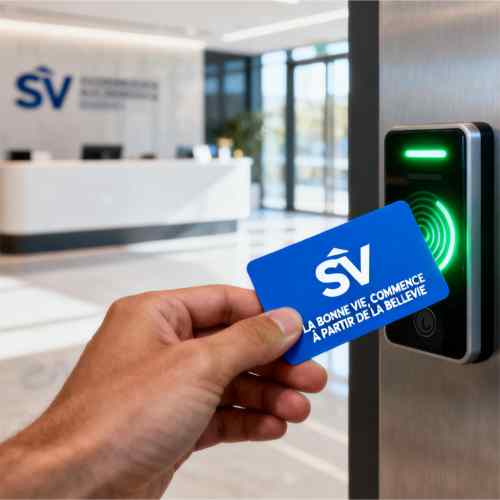
2. Access control badge readers: Mount beside a door or gate and send the ID to a controller that decides whether to allow entry.
3. Handheld readers: Are portable, and they’re used for inventory and asset checks.
4. Fixed readers: Sit at a dock door, conveyor, or shelf and read tags automatically.
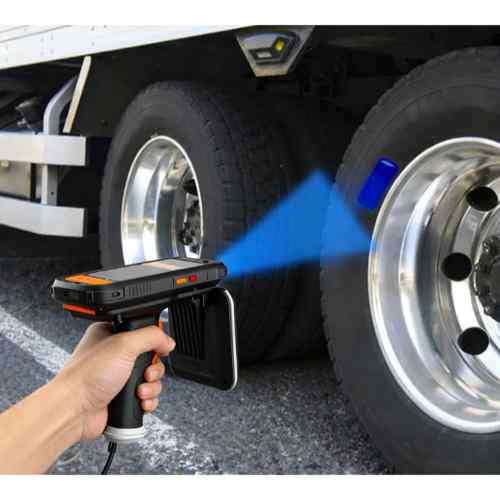
5. Long range readers use antennas that pick up tags from several meters away, which suits warehouses, gates, and vehicle tracking.
Know Your Frequency Before You Start
The reader and the tag must share the same frequency and protocol. A reader can’t see a tag on a different one.
1. Low frequency (LF): Around 125 kHz, is short range and common in older access systems.
2. High frequency (HF): 13.56 MHz, includes NFC and many modern access cards, with a range of a few centimeters.
3. Ultra high frequency (UHF): Roughly 860 to 960 MHz, reads from longer distances. The exact band varies by region, so use a reader approved for your country.
If you’re unsure which type your cards use, check the documentation or ask the supplier.
Read More: Complete Guide To RFID Readers, RFID Modules & Product Tracking Solutions
How to Use an RFID Reader, Step by Step
Exact steps vary by model, but most follow this pattern.
1. Confirm compatibility: Check that the reader’s frequency and supported card types match your cards.
2. Connect the reader: Plug in a USB reader, or connect a network reader to power and your network. For wall-mounted readers, follow the manufacturer’s wiring guide or use a qualified installer.
3. Install drivers or software if needed: Many USB readers act like a keyboard and need no driver. Others use a manufacturer app.
4. Test with a known card: Hold a card near the reader. Most give a beep or light when they read it.
5. See where the ID appears: A keyboard-style reader types the number wherever your cursor is. Others send it to an app, database, or controller.
6. Check the output format: The same card can show in decimal, hexadecimal, or reversed byte order. If the number doesn’t match your system, adjust the reader’s format settings.
7. Connect it to your system: Link the reader to your access control, attendance, or inventory software.
8. Run a real-world test: Try several cards and positions before rolling it out.
Using a Long Range RFID Reader
Long-range readers are usually UHF and behave a little differently.
1. Antenna placement matters: The read zone depends on antenna direction, height, and angle.
2. Power is adjustable: Lowering power narrows the zone and avoids reading tags you don’t want.
3. Region settings matter: Choose the correct band for your country.
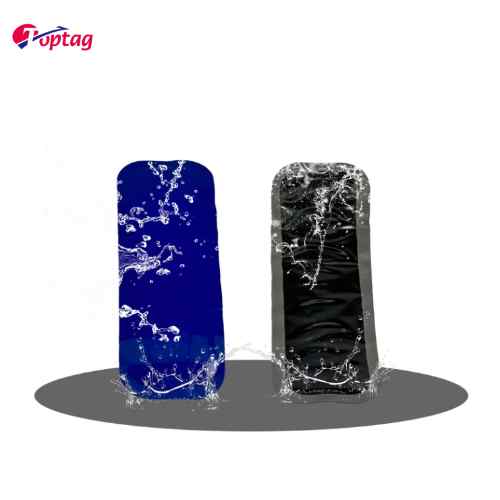
4. Tags affect range: Tag size, chip, and surface all change real-world distance, and metal or liquids can reduce reads.
5. Test in real conditions: Open-air figures rarely match a busy warehouse.
If you read too many tags, lower the power or reposition the antenna. If you miss reads, raise power, adjust the angle, or add another antenna.
Also Read: RFID Reader: Complete Guide to RFID Tag Readers, Card Readers & Long-Range Devices
Common Problems and Fixes
The reader doesn’t read the card: Check frequency compatibility first, then try another card and position.
The number looks wrong: Check decimal versus hexadecimal and byte order.
Reads are inconsistent: Look for nearby metal, stacked cards, or interference.
The computer doesn’t recognise the reader: Try another port or cable, and check whether a driver is needed.
A long range reader picks up the wrong tags: Reduce power or change the antenna angle.
It works on the bench but fails in use: Test again with real items and movement.
What to Check Before You Buy an RFID Card Reader
Which frequency and card types does it read?
How does it connect? (USB, serial, Ethernet, Wi-Fi, or Bluetooth.)
Does it only read, or also write and encode?
What read distance does it offer, and with which tags?
Does it work with your software? (Ask about drivers, SDKs, and output formats.)
Is it approved for your region? (This matters most for UHF.)
What support is available? (Good documentation makes setup far easier.)
Test a sample with your own cards before buying in volume.
A reader reports an ID, but the ID alone isn’t always secure. Basic cards with fixed IDs can be copied with cheap equipment. For sensitive areas, choose cards and readers that support encryption, deactivate lost cards quickly, and review access logs regularly.
Why Consider Top Tag RFID?
If you’re comparing RFID card readers, tag readers, and long range readers, Top Tag RFID, from Shenzhen TopTag Technology Co., Ltd, is worth adding to your shortlist. Its website lists readers, including the RFID W90B Reader, alongside tags and labels. Tell them your frequency, card type, connection needs, range, and quantity, and ask for samples so you can test with your own cards before ordering in volume.
As with any supplier, confirm specifications, software support, and delivery details in writing.